One Screen for the Whole House: What It Takes to Make Your Smart Home Devices Work Together
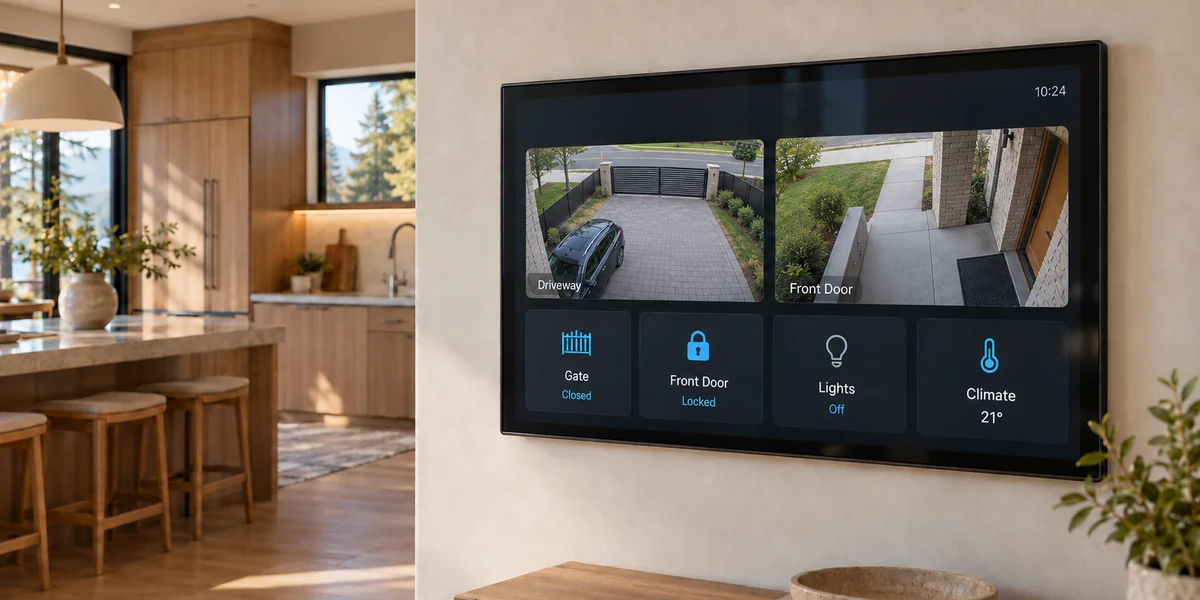
Someone presses the call button at the end of the driveway. In the kitchen, a large touchscreen on the wall shows them on the intercom, with the driveway camera beside it. One tap opens the gate. As the car pulls up, the front door unlocks and the entry lights come on.
That is a system we're designing right now for a homeowner in the GTA. Nothing in it is exotic — every device is something you can buy off the shelf. The hard part is that, out of the box, none of them know the others exist.
Making a house full of separate devices behave like one system is a different job from buying the devices. This post is about that job.
Five Devices, Five Apps
Most smart homes grow one device at a time. A video doorbell one year, cameras the next, a smart lock, a thermostat, a gate opener. Each comes from a different manufacturer, each uses its own technology to communicate, and each comes with its own app.
Every one of those apps can work perfectly and the house still won't act as one system. The doorbell can't tell the lights anything. The gate doesn't know who just called on the intercom. Opening the house for a guest means three apps and a remote. That isn't a fault in any single device — they were simply never designed to talk to each other.
Bringing It Onto One Screen
The systems we build put a central controller in the house, built on Home Assistant, the open platform that connects thousands of brands of devices. Every device reports to it, and it decides what happens when: when the gate opens after dark, turn on the driveway lights. A wall-mounted touchscreen then gives the whole household one place to see and control all of it, with the same control available on everyone's phone.
And the list goes well beyond a gate and a front door. The same system can take in:
- Video intercoms, doorbells and security cameras
- Gates, garage doors and door locks
- Lighting, dimmers and window blinds
- Thermostats and heating and cooling equipment
- Water leak sensors and automatic shut-off valves
- Irrigation, pool equipment and EV chargers
- Energy monitoring, speakers and TVs
Why It's an Installation Job
The screen on the wall is the part everyone sees, and it is the last piece. Most of what makes a system like this dependable happens before it's mounted.
Some devices have to be wired rather than connected over Wi-Fi. A gate that only opens through an app stops opening when the internet does; a gate wired into the system keeps working. Devices have to be chosen for how well they integrate, not just for their own features — plenty of good products are hard to bring into anything beyond their own app. And the screen itself needs power and network cabling planned into the wall, ideally before the drywall is closed.
Getting those decisions right is the difference between a system that runs the house and one that needs a workaround every week.
Why the Choice of Devices Matters: A Real Example
In late 2023, Chamberlain Group — the company behind LiftMaster and the myQ garage door app — blocked third-party systems from connecting to myQ. Home Assistant removed its myQ integration in December 2023. Homeowners whose garage doors were part of their automations lost that link overnight, without changing anything themselves.
The lesson applies to every device in a home like this. Anything that depends on a manufacturer's servers can be changed by that manufacturer. Part of designing these systems properly is choosing devices, and connection methods, that keep working on the day the manufacturer changes its mind.
A Screen That Opens Doors Is Part of Your Security
Once a screen can open the gate and unlock the front door, it has to be treated with the same care as a key. That means the system is set up so a visitor standing at the screen can't change its settings, smart devices are kept apart from the rest of the home network, and remote access is properly protected.
The alarm system is the one thing we keep independent. The screen can show whether the alarm is armed, and the house can react when it trips — every light on, for example — but a monitored alarm should keep working exactly as designed no matter what happens to the rest of the system.
If You Already Run Home Assistant
Plenty of homeowners already have Home Assistant running. If that's you, you already know what it can do. Where we usually come in is the physical side — the gate, the intercom, the cameras, the wiring and the screen — so those parts are installed to the same standard as the rest of the house, and work with the setup you have.
There's also upkeep. Home Assistant releases a new version every month, and device manufacturers update their own apps and services on their own schedules. Any of those changes can affect how a device behaves. When the system controls your gate and your front door, someone should be checking it after each change rather than after something stops working. We offer ongoing maintenance plans for exactly that.
Do You Need All of This?
Not necessarily. If you have a doorbell, a couple of cameras and a thermostat, and their separate apps do what you need, that is a perfectly good setup. Bringing everything together earns its keep when devices need to act on each other — the gate and the door, the alarm and the lights — or when everyone in the house should be able to run it without five apps.
If that's where you are, book a complimentary consultation. We'll go through what you have, what you'd like it to do, and what it would take to bring it onto one screen — whether you're starting fresh or already running Home Assistant. You can also see how we approach video intercom systems.